How it works
DrumPulse reads the motion of your snare hand, turns every strike into data, and gives you two things at once: a real fitness record and an honest report on your time. Here's what each part does. For the exact formulas, see the math.
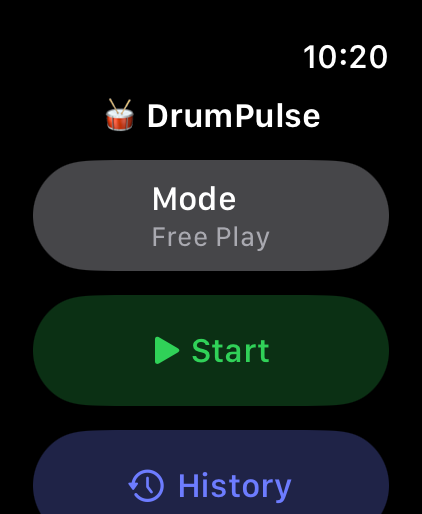
On the watch, pick a mode and tap Start — or double-tap your fingers (Series 9 / Ultra 2) to start hands-free while holding sticks. Play, then stop to see your recap. Every session is also saved to Apple Health as a workout, so it counts toward your activity rings.
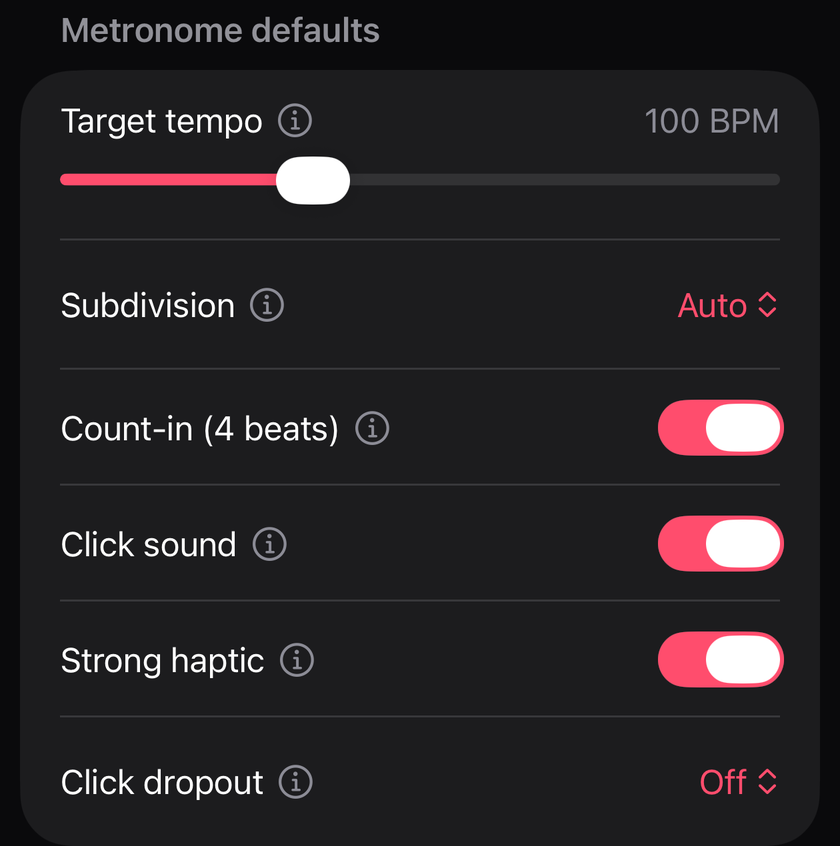
An optional count-in (four beats) plays first so you can lock in before grading starts.
Short answer: for detecting your hits, it doesn't matter. For what you're measuring, it does.
DrumPulse turns each strike into a single number — the strength of the hit — from the magnitude of your wrist's acceleration:
That magnitude is rotation-invariant: it's the same whether the watch is on your left or right wrist, and regardless of crown orientation. A strike spikes it the same way either way. So knowing the hand wouldn't make detection any more accurate — which is exactly why DrumPulse never asks, and there's nothing to configure.
The catch is that the watch only sees the hits of the hand it's on. So the hand you wear it on decides which voice DrumPulse is grading:
So it's a coaching distinction, not a setting. Pick the wrist based on the voice you care about — most of the time, that's your snare hand.
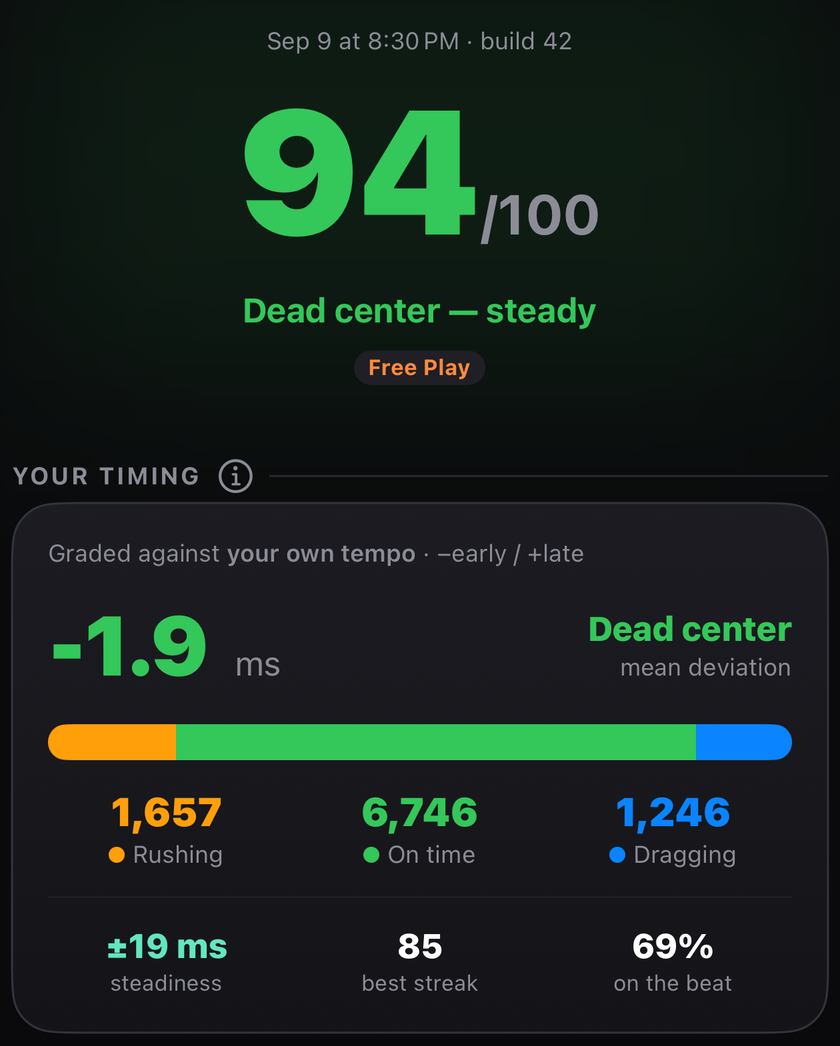
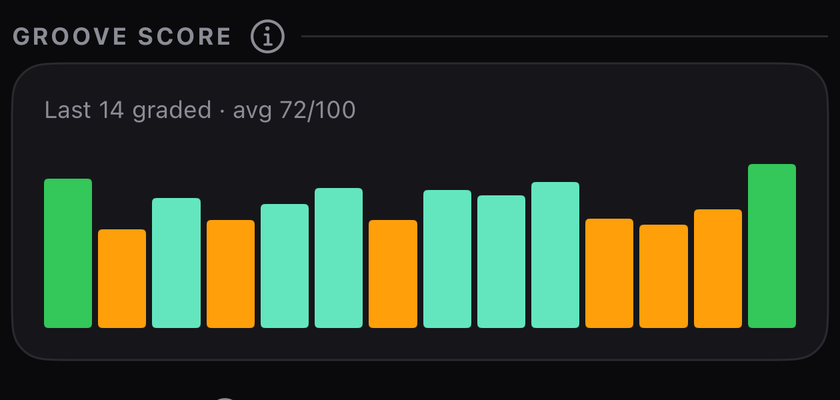
The groove score (0–100) rates how tight your timing was overall: 100 means your hits averaged within 15 ms of the beat, and it falls to 0 at 90 ms.
Mean deviation is your average lean, early or late. Steadiness (jitter) is how much your timing scatters around the beat — lower is tighter, even if your average looks perfect.
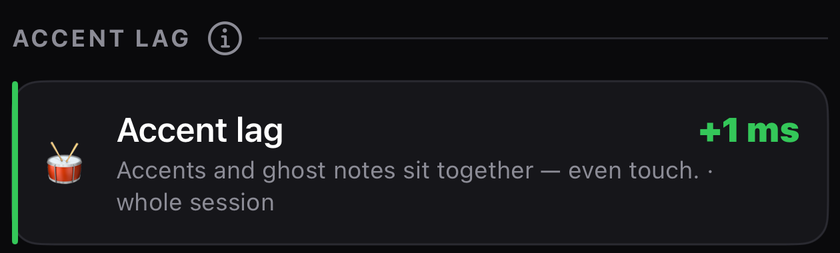
Do your loud hits land at a different time than your soft ones? Accent lag compares the average timing of your accents vs your ghost notes across the whole session. Positive means accents drag behind the beat; negative means they push ahead; near zero is an even touch. It's a common, hard-to-feel habit the groove score alone hides.
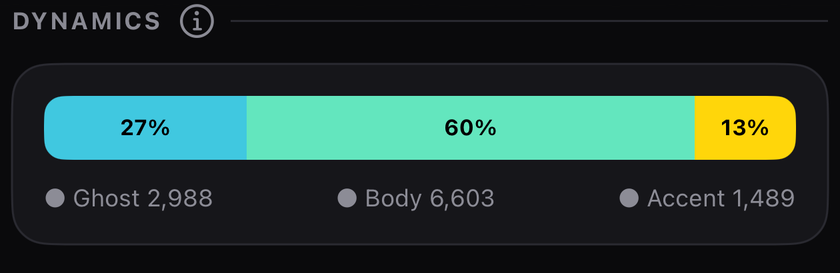
Every hit is sorted into ghost (soft), body (medium), and accent (loud) — measured relative to your own playing strength, not a fixed volume. So a hard hitter isn't graded as all-accents, and a light player's taps aren't all-ghosts. It shows the light and shade in a set.
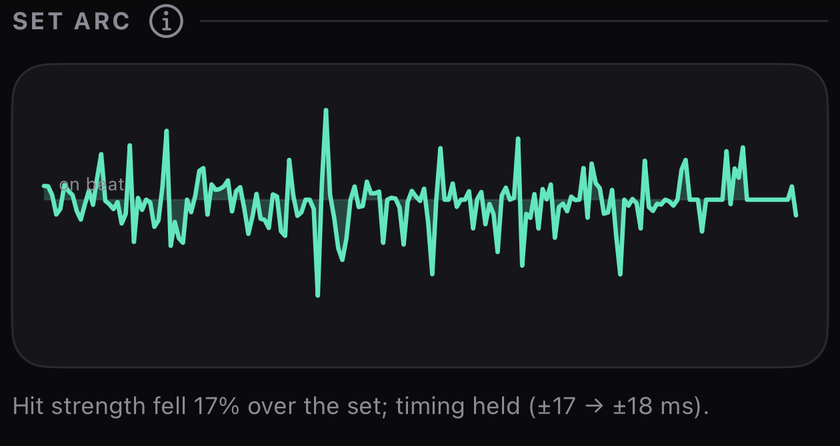
Your timing across the whole session, one point per minute. The line rides above or below the centre ("on beat") line as you push or drag. It answers what a single average can't: did you tighten up or drift as the set went on?
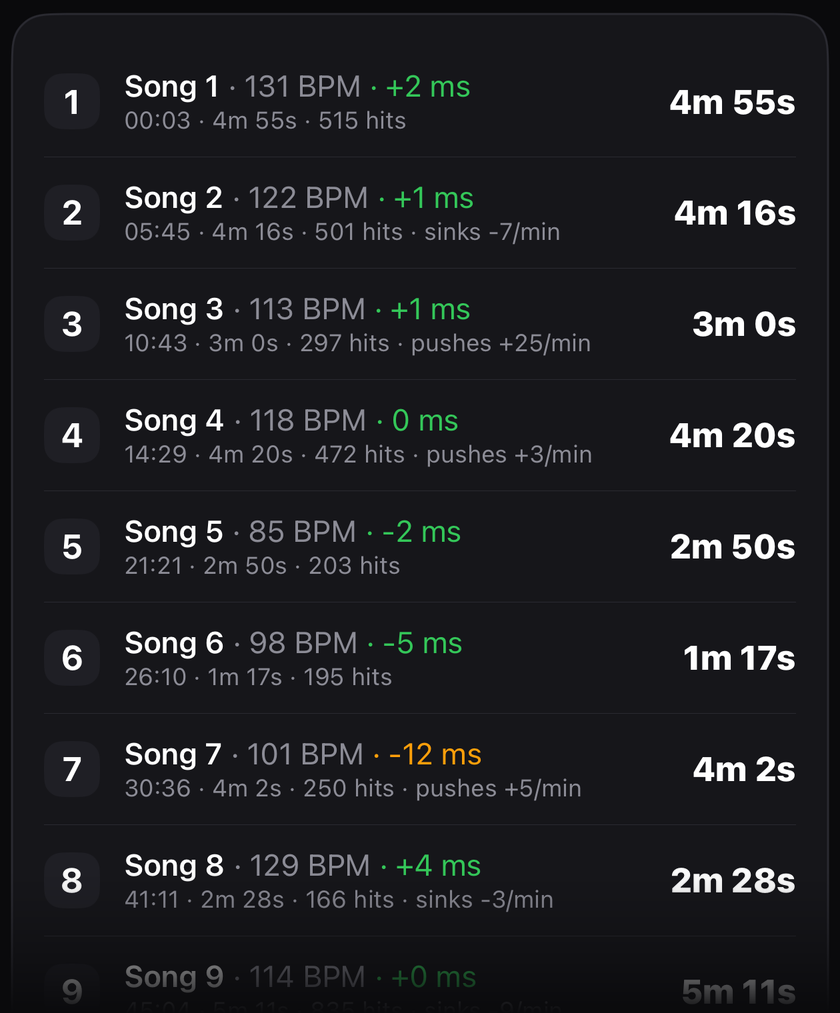
In Free Play, a long set is split into songs at the silences between them, then re-merged where the tempo stayed the same (so a mid-song pause isn't counted as a new song). Each row shows that song's tempo and average timing.
It's a best-guess split, not exact — from wrist motion alone, a long mid-song pause or two songs at the same tempo can fool it. Treat the count as an estimate.
The physical side of the session — total hits, average tempo, duration, calories, heart rate, and hit power (your average peak acceleration, in g). These count every hit, warm-up included.
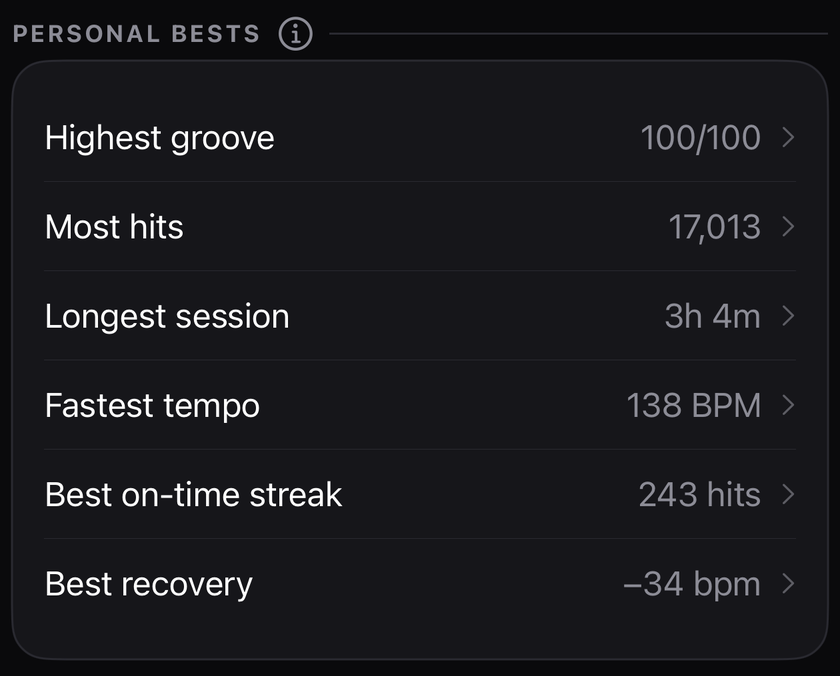
The Trends tab tracks you across sessions: groove score, accent lag, and steadiness over time — watch the trend, not any single bar. Greener and tighter over time means you're improving. Personal bests holds your records: highest groove, most hits, longest session, fastest tempo, and longest run of consecutive on-time hits.
Tap to freeze a session for a water break — time, calories, and grading all pause (and the Health workout pauses too). A break doesn't inflate your session, and it counts as a fresh tempo baseline when you resume.
No accounts, no tracking, no analytics, no servers. Motion and heart-rate data are used on-device only and never leave it; sessions sync solely between your own watch and iPhone over Apple's encrypted connection. See the privacy policy.